
3.5.22 - Buy one Get One Free & Voucher Validity
Buy One, Get One Free Promotions
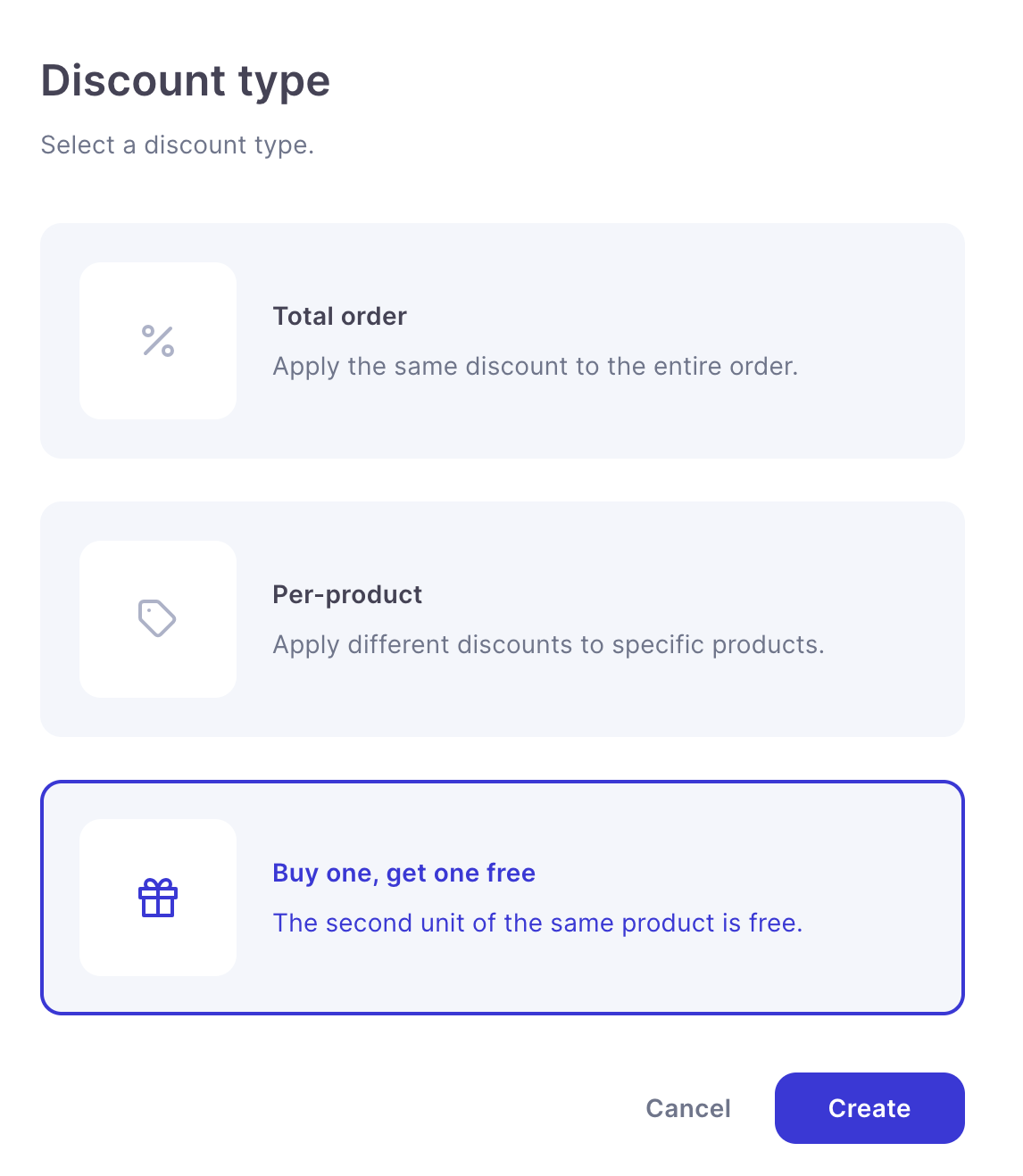
Buy One, Get One Free promotions can now be created directly within the promotions system.
Choose which products are eligible and, when a customer adds two of the same eligible product, the second item will be provided free of charge.
Each promotion can be configured to run automatically or require a promotional code, giving businesses flexibility over how and where an offer is advertised.
Buy One, Get One Free promotions are supported across:
- Voucher stores
- Terminal sales
- Payment links
A maximum of one free item can be applied per order.
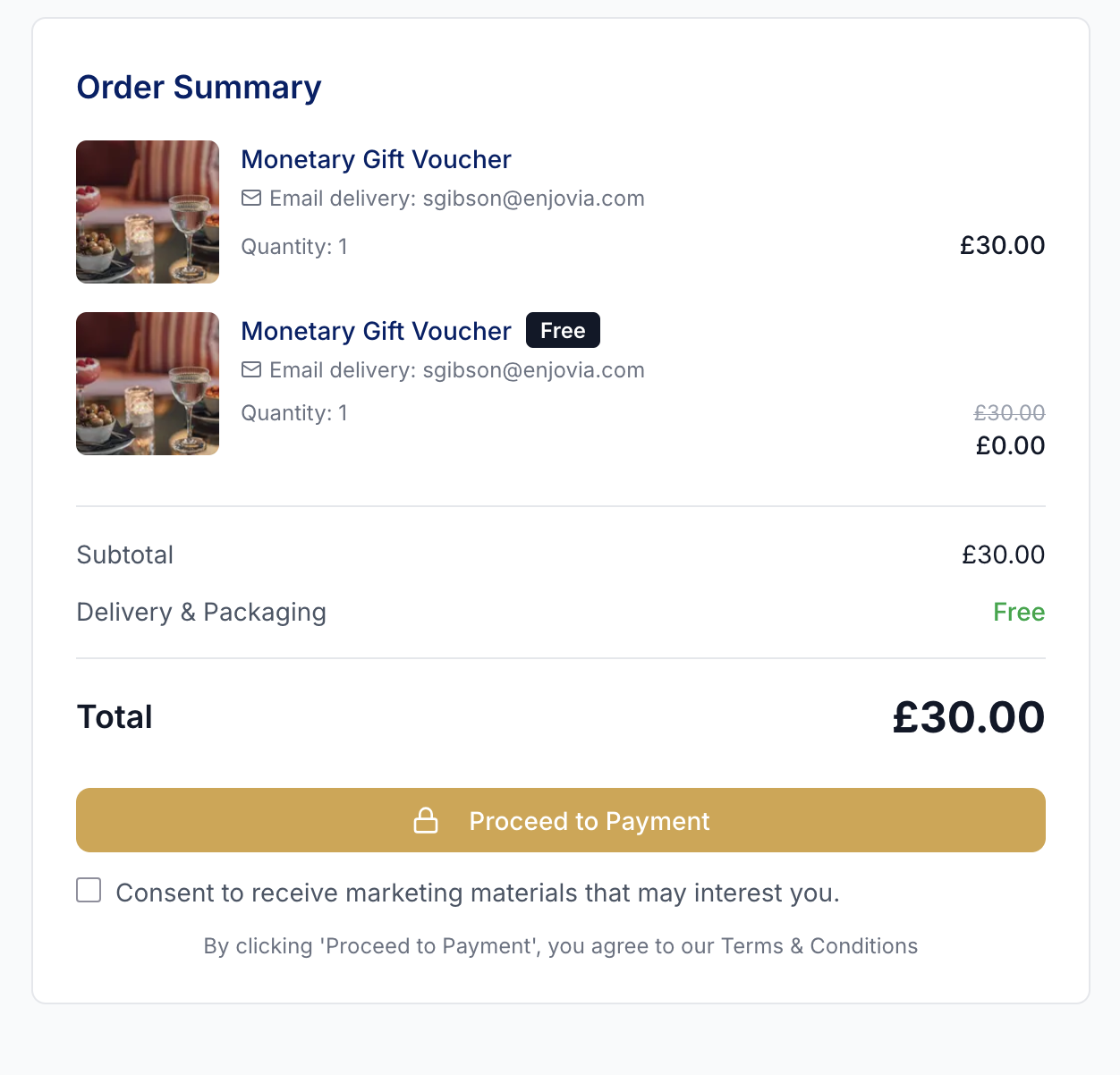
Free Items Clearly Shown Throughout the Order
Free promotional items are now displayed as their own individual line item rather than being combined into the original product.
This makes Buy One, Get One Free orders much clearer for both customers and staff.
The free item is shown separately within:
- The basket
- The completed order
- Customer receipts
- Customer order emails
This provides a clearer record of exactly which product has been provided as part of the promotion.
Buy One, Get One Free Pairing Prompts
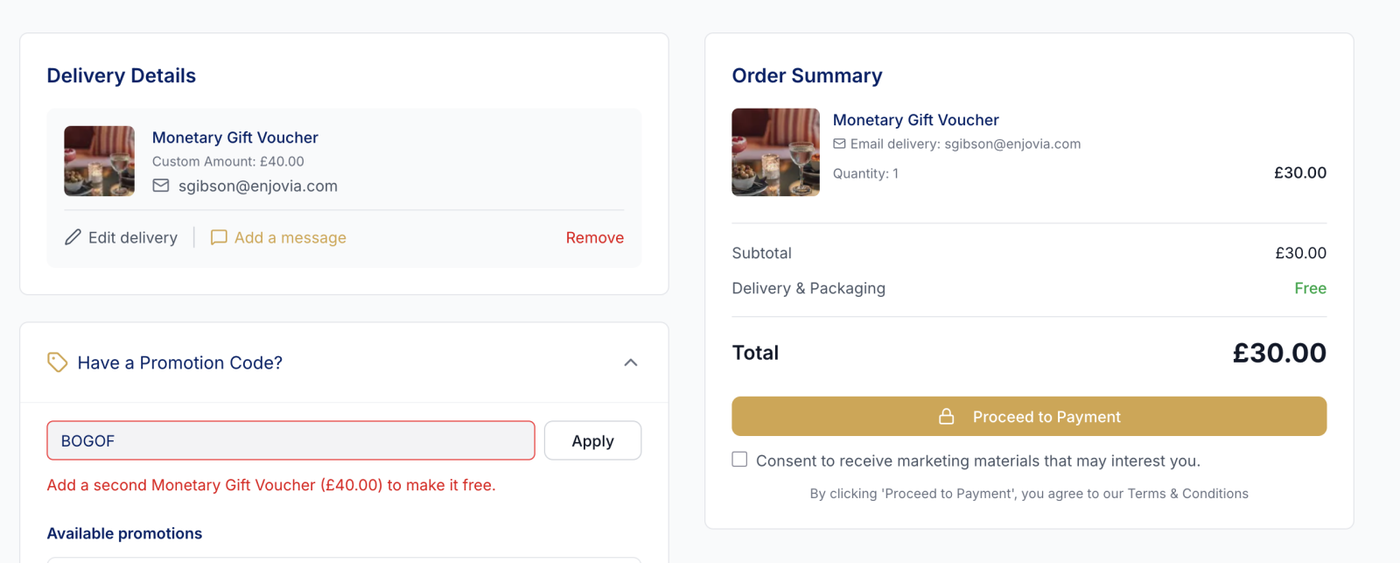
We have added pairing prompts to make it easier for customers and staff to understand when a basket is close to qualifying for a Buy One, Get One Free promotion.
If an eligible product has been added but the required second item is missing, a message will explain exactly what needs to be added.
For example:
"Add a second Afternoon Tea for Two (Midweek) to make it free."
These prompts are available on both the voucher store and the Terminal, helping reduce confusion and making promotional offers easier to use.
Generate Up to 50,000 Promotion Codes
Promotions can now contain up to 50,000 unique promotional codes.
Large batches of codes are generated in the background, allowing users to continue working within the dashboard while the codes are created.
Generation progress is displayed within the dashboard so users can see when the full batch is ready.
This makes the promotion system better suited to larger campaigns, partnerships, corporate promotions and campaigns requiring individually distributed codes.
Promotion Code CSV Exports
Promotion codes can now be exported to CSV regardless of the number of codes within the promotion.
This makes it easier to distribute large batches of unique codes through external marketing platforms, partners, corporate customers or other systems.
Change Voucher Validity Dates from an Order
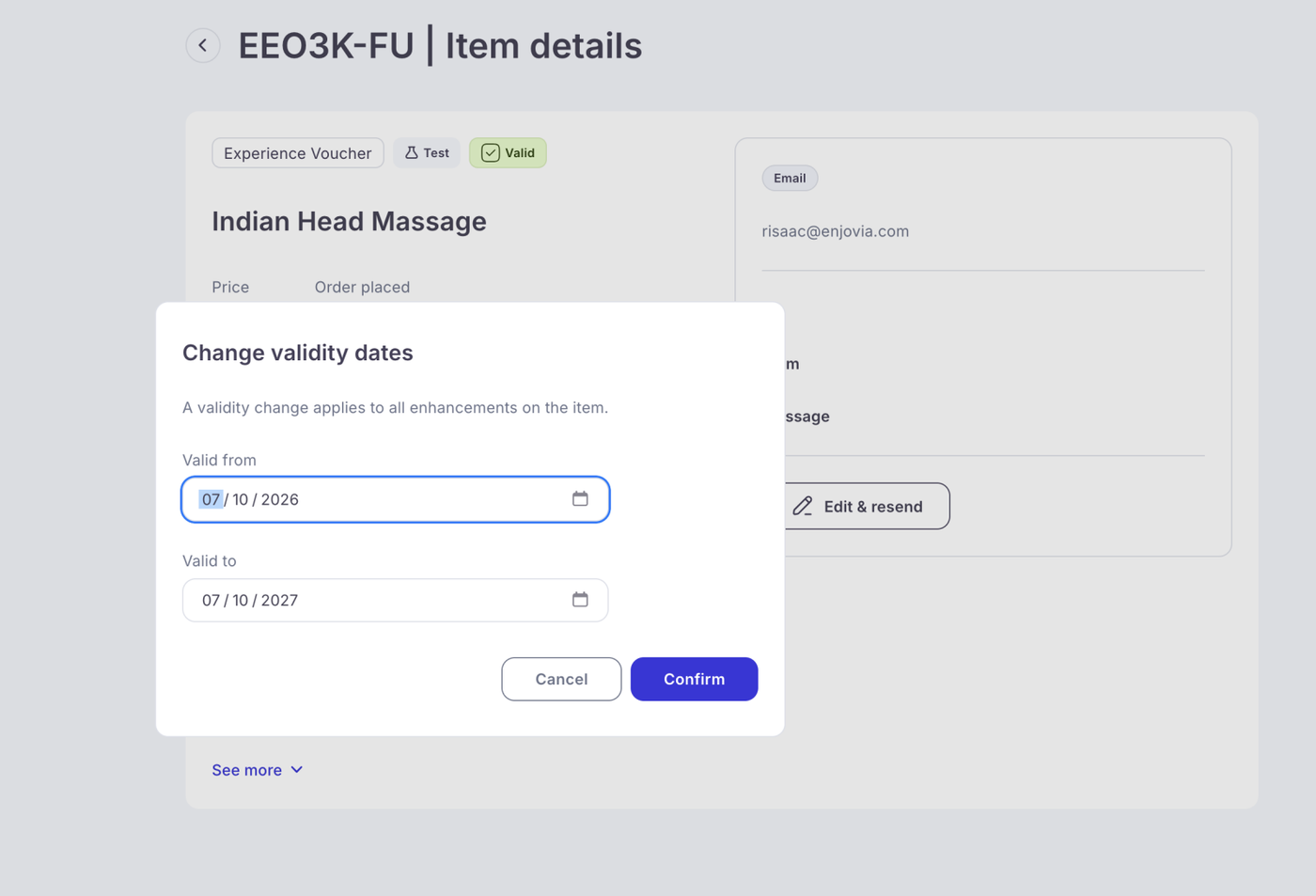
Voucher validity dates can now be changed directly from an order.
Users with the appropriate permissions can update both the:
Valid From Date
Change the date from which the voucher becomes valid.
Valid Until Date
Change the date on which the voucher expires.
Any changes to voucher validity are automatically recorded within the order history, providing a clear audit trail of when the dates were changed.
Redemption Event ID Added to Exports
An Event ID column has been added to the redemptions export.
When multiple vouchers are redeemed as part of the same redemption transaction, they will share the same Event ID.
This makes it much easier to identify and group vouchers that were redeemed together when analysing redemption data or working with exported reports.
Stock Limit Increased to 50,000
The maximum stock limit for limited-stock products has been increased to 50,000 units per product.
This allows limited-stock functionality to be used for much larger campaigns, events and product allocations while retaining Enjovia's existing stock reservation and availability controls.